We’ve all been there. Your computer feels slow. A new game won’t run. A video editing app keeps crashing. So you wonder: Can I upgrade my PC specs using software? Maybe there’s a magic download that gives you more RAM. Or boosts your graphics card. Or turns your old laptop into a speed monster.
TLDR: You cannot physically upgrade your PC specs using software alone. Real upgrades require new hardware like more RAM, a better GPU, or a faster CPU. Software can improve performance, but it cannot change your computer’s physical limits. Think of software as a clean-up crew, not a construction team.
What Are “PC Specs” Anyway?
Before we bust the myth, let’s get clear on what PC specs are.
PC specs are the physical parts inside your computer. These include:
- CPU – the brain of the computer
- RAM – short-term memory
- GPU – graphics processor
- Storage – SSD or HDD
- Motherboard – connects everything
These are hardware components. You can touch them. You can remove them. You can replace them.
Software, on the other hand, is made of code. Apps. Programs. Operating systems. They live on your storage drive.
So here’s the big question: Can code magically turn weak hardware into powerful hardware?
Short answer: no.
Why Software Can’t Physically Upgrade Hardware
Let’s break this down in a simple way.
Imagine your PC is a car.
- The engine is your CPU.
- The fuel tank is your RAM.
- The trunk space is your storage.
Now imagine you download an app that promises to double your horsepower.
Sounds amazing, right?
But unless you physically replace the engine, the car stays the same.
Software cannot add more physical cores to your CPU.
It cannot solder new RAM chips onto your motherboard.
It cannot turn a 2GB graphics card into an 8GB one.
That would break the laws of physics.
So Why Do Some Programs Claim They Can?
Great question.
You’ve probably seen ads like:
- “Download more RAM for free!”
- “Double your FPS instantly!”
- “Upgrade your graphics without buying a new GPU!”
These claims are misleading. Or flat-out fake.
Here’s what’s really happening.
1. They Optimize, Not Upgrade
Some tools clean junk files.
They stop background apps.
They free up unused RAM.
This can make your PC feel faster.
But nothing physical has changed.
If you had 8GB of RAM before, you still have 8GB.
It’s just being used more efficiently.
2. They Overclock (With Risks)
Some software tools can overclock your CPU or GPU.
Overclocking means pushing your hardware to run faster than its default speed.
This is not an upgrade.
It’s more like revving your car engine harder.
It may increase performance slightly. But:
- It creates more heat.
- It can cause instability.
- It may shorten hardware lifespan.
And not all systems support it.
3. They Adjust Graphics Settings
Some gaming tools lower resolution and visual effects automatically.
The game runs smoother.
You get more FPS.
But your GPU is still the same GPU.
The tool just reduced the workload.
What Software CAN Actually Do
Now let’s be fair. Software is powerful.
It just has limits.
Here’s what software can do:
Improve System Performance
- Remove malware
- Clean temporary files
- Uninstall bloatware
- Manage startup apps
This can bring an old PC back to life.
Not because its specs increased.
But because waste was removed.
Optimize Resource Usage
Operating systems get updates.
Drivers get improved.
A new version of software might:
- Use less RAM
- Use CPU cores more efficiently
- Better manage background tasks
This can make everything smoother.
Enable Hidden Hardware Potential
Sometimes hardware is limited by drivers.
Updating drivers can:
- Improve GPU performance
- Fix bugs
- Increase compatibility
But again. The hardware stays the same.

The “Download More RAM” Myth
This one refuses to die.
You cannot download RAM.
RAM is a physical chip installed on your motherboard.
When programs claim to “increase RAM,” they usually:
- Create virtual memory
- Use space on your hard drive as backup memory
This is called a page file or swap space.
But here’s the catch.
Storage is much slower than RAM.
So using virtual memory helps prevent crashes.
But it does not make your system truly faster.
In fact, it can make things slower under heavy load.
When You Actually Need Hardware Upgrades
Sometimes optimization isn’t enough.
You need real upgrades.
Here are clear signs:
- Your RAM is constantly at 90% or more.
- Your CPU usage stays near 100%.
- Games stutter even on low settings.
- Video editing takes forever to render.
No software can fix hardware bottlenecks like these.
That’s when you consider:
- Adding more RAM
- Switching from HDD to SSD
- Upgrading your GPU
- Installing a faster CPU
Laptops vs Desktops: Big Difference
This is important.
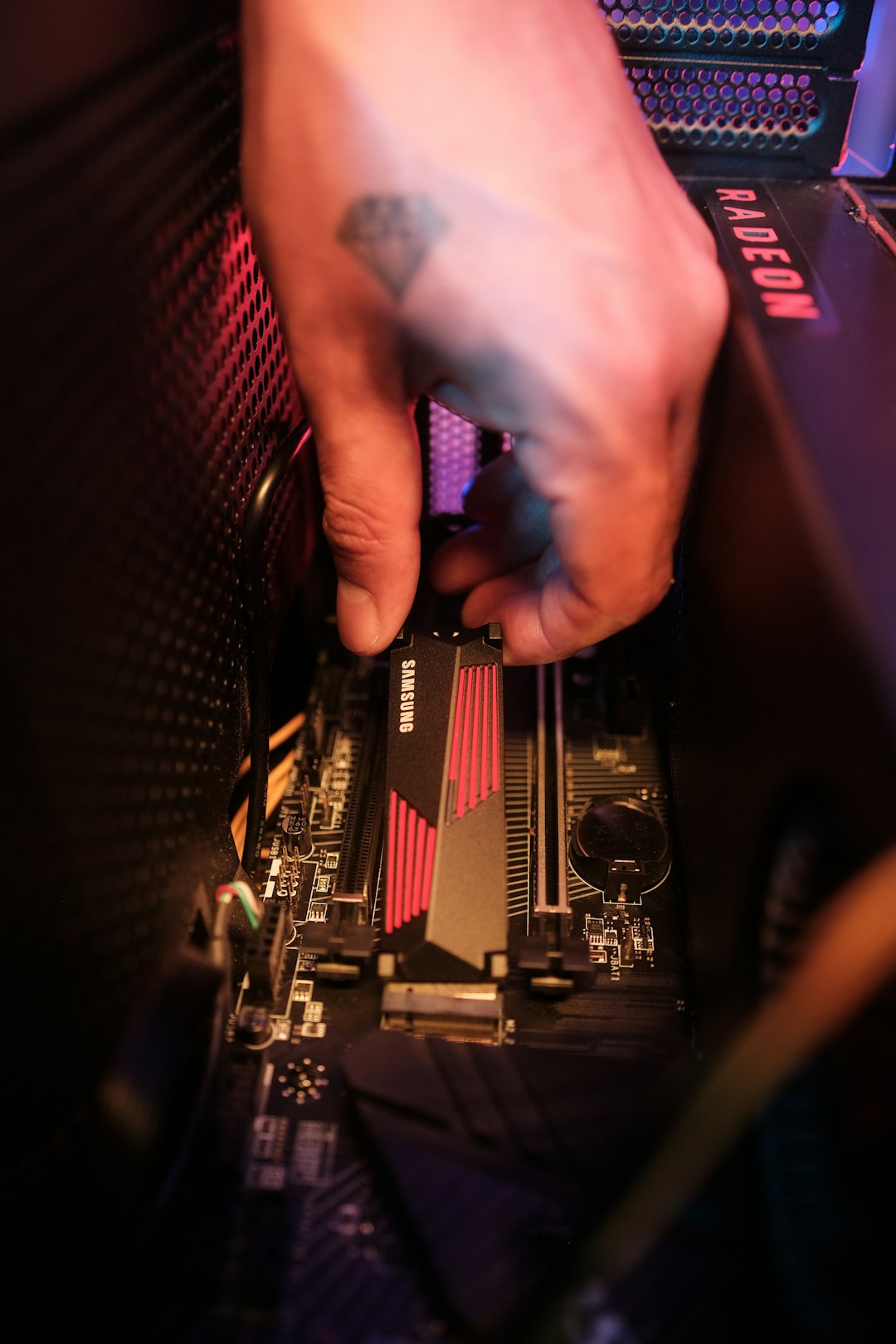
Desktops are usually upgrade-friendly.
- RAM is easy to replace.
- GPU can be swapped.
- Storage upgrades are simple.
Laptops are more limited.
Many modern laptops have:
- Soldered RAM
- Integrated GPUs
- Limited upgrade space
In those cases, no software will save you.
And hardware upgrades might not even be possible.
What About Cloud Gaming or Virtual PCs?
Now here’s where things get interesting.
Cloud services let you use powerful remote computers.
Your weak laptop streams the result.
It looks like you upgraded your specs.
But you didn’t.
You’re just borrowing someone else’s powerful machine over the internet.
It’s like driving a sports car… remotely.
Cool. But not a real upgrade to your device.
Why the Myth Is So Popular
Because upgrades cost money.
And downloads feel free.
People want simple solutions.
The idea that you can click a button and double performance is exciting.
But computers don’t work that way.
They follow physical limits:
- Transistors
- Frequency speeds
- Thermal limits
- Power delivery
Software cannot rewrite physics.
Smart Ways to Maximize Your Current PC
If you can’t upgrade right now, don’t panic.
Try this instead:
1. Upgrade to an SSD
This is hardware. But it’s the biggest speed boost for most people.
Switching from HDD to SSD can make your PC feel brand new.
2. Add More RAM (If Possible)
8GB to 16GB makes a huge difference for multitasking.
3. Keep Drivers Updated
Especially GPU drivers.
4. Reduce Startup Programs
Fewer auto-launch apps. Faster boot time.
5. Lower In-Game Settings
Resolution and shadows matter a lot.
6. Reinstall Your Operating System
Sometimes a fresh start beats any “optimizer” app.
The Final Verdict
So… can you upgrade PC specs using software?
No.
You cannot turn 8GB RAM into 16GB with a download.
You cannot transform a weak GPU into a gaming monster with an app.
You cannot add CPU cores using code.
What software can do is:
- Optimize
- Clean
- Manage
- Fine-tune
That’s powerful.
But it’s not an upgrade.
If you remember one thing, remember this:
Software improves efficiency. Hardware improves capacity.
And when your PC truly needs more power, there’s only one real solution.
Open the case.
Or open your wallet.
