MacBooks are known for their sleek aluminum design, lightweight construction, and precisely engineered hinges. However, their slim profile also means that the display can be vulnerable to physical stress. One common issue users encounter is a MacBook screen bent back too far, often caused by accidental force, improper handling, or a sudden impact. When the display is pushed beyond its intended range, it can result in cosmetic damage, hinge problems, or even internal display failure. Understanding how this happens—and what to do about it—can help users avoid costly repairs.
TLDR: A MacBook screen bent back too far can damage hinges, the display panel, or internal cables. Preventing the issue requires careful handling, proper storage, and awareness of the hinge’s movement limits. If damage occurs, repair options range from hinge adjustments to full screen replacements. Early diagnosis can reduce repair costs and prevent further problems.
The MacBook’s hinge mechanism is carefully calibrated to provide smooth opening and stable positioning at various angles. Unlike some laptops that allow a full 180-degree lay-flat position, many MacBook models are not designed to extend that far. Applying pressure beyond the hinge’s limit can strain internal components, including the display cables and backlight assembly.
Why a MacBook Screen Gets Bent Back Too Far
There are several common scenarios that lead to this problem:
- Accidental force: Someone may attempt to push the screen further back than intended, assuming it has a wider range of motion.
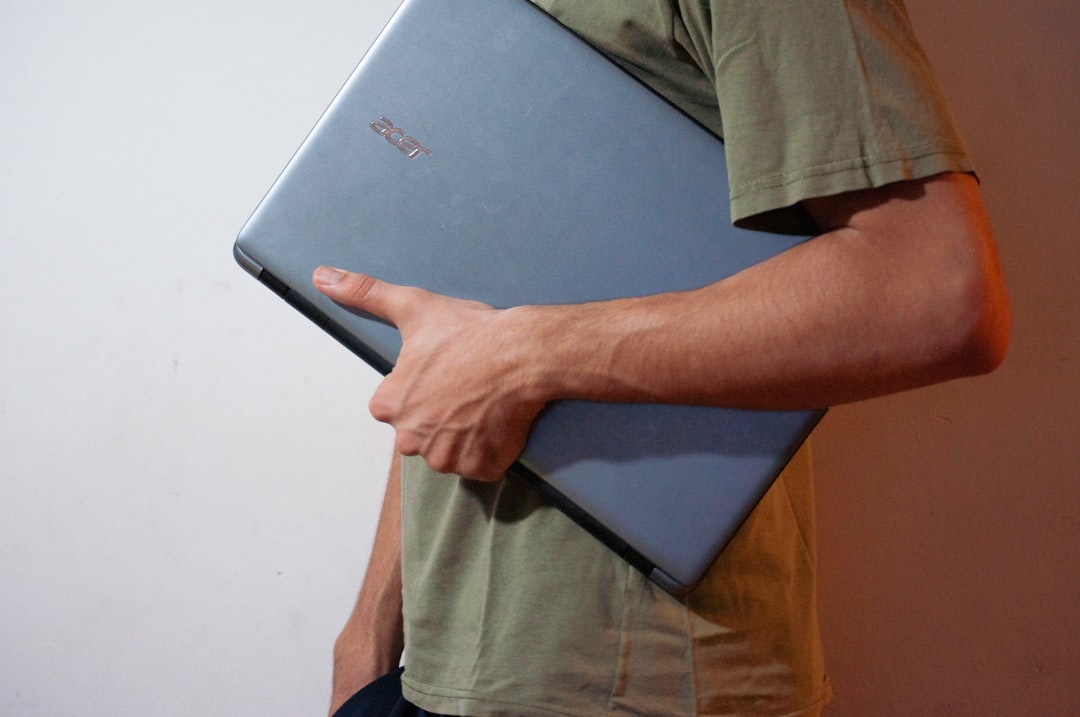
- Improper carrying: Lifting the laptop by the display instead of the base can stress the hinge.
- Falls or impacts: Dropping the device while open may force the hinge beyond its limit.
- Object obstruction: An item placed behind the laptop can stop the hinge midway, causing pressure points when pushed.
- Wear over time: Hinges may loosen, increasing the risk of misalignment and overextension.
Because the MacBook enclosure is made from aluminum, it can sometimes bend slightly under stress. Even a small amount of distortion can affect how the lid closes, how evenly the screen sits, or how smoothly the hinge operates. Users may notice uneven gaps, clicking noises, or increased resistance when adjusting the display.
Signs of Damage After the Screen Is Bent Back
After the screen has been forced back too far, symptoms can vary depending on the severity of the incident. Some signs may appear immediately, while others develop over time.
- Flickering display: Indicates a potential flex cable strain.
- Black spots or lines: Suggest internal LCD damage.
- Loose or wobbly screen: Points to hinge loosening.
- Difficulty closing the lid: May signal frame misalignment.
- Cracking noise when adjusting angle: Could indicate hinge stress or broken mount points.
In more severe cases, the screen may stop displaying entirely. This can occur if the internal display cable disconnects or tears due to excessive tension. In certain models, repeated overextension may also contribute to what is commonly referred to as “flexgate,” a display backlight failure related to stressed cables.
Preventing Screen Overextension
Prevention is always more cost-effective than repair. MacBook users can significantly reduce their risk of damage by adopting a few simple habits.
1. Open and Close Carefully
Always open the MacBook from the center of the lid using one hand while stabilizing the base with the other. Avoid twisting motions or uneven pressure.
2. Know the Hinge Limits
MacBook screens typically open to approximately 130–140 degrees depending on the model. If resistance increases, do not force the screen further back.
3. Use Protective Cases Wisely
Some hard-shell cases add stiffness around the hinge area. While they may protect from scratches, they can alter hinge mechanics if poorly fitted. Choose high-quality, compatible accessories.
4. Store Properly
When transporting the laptop, ensure it is fully closed and placed in a padded sleeve. Avoid tightly packed bags where pressure may be applied unevenly.
5. Keep Hinges Clean
Dust or debris accumulation near the hinge can restrict smooth movement. Occasional gentle cleaning helps maintain proper function.
Immediate Steps If the Screen Is Bent Too Far
If a MacBook screen has just been forced back beyond its limit, taking the right steps can prevent additional harm.
- Stop adjusting the screen immediately.
- Power off the device if you notice flickering or display issues.
- Check for visible gaps or warping.
- Avoid repeated opening and closing until the device is inspected.
Even if the laptop still appears to function normally, internal damage may exist. Continued use without inspection can worsen hinge or cable strain.
Repair Options Available
The appropriate repair depends on the extent of damage. Below are typical solutions.
Hinge Adjustment or Tightening
If the hinge has loosened but the display panel remains intact, a technician can tighten or replace the hinge assembly. This is often one of the more affordable repairs compared to a full display replacement.
Display Cable Repair
If flickering or backlight failure occurs due to cable strain, the display flex cable may need replacement. In some MacBook models, the cable is integrated into the display assembly, meaning individual replacement may not be possible.
Full Screen Replacement
Cracked glass, black lines, or internal LCD damage typically require a complete display assembly replacement. Apple’s Retina displays are sealed units, and most repairs involve replacing the entire top lid.
Top Case or Frame Repair
If the aluminum housing itself is bent, specialized tools may be required to reshape or replace structural components. Severe frame bending can affect how the lid closes and may require extensive repair.
Should You Attempt DIY Repair?
While many users are comfortable replacing SSDs or batteries, display and hinge repairs are considerably more complex. MacBook screens are thin, delicate, and often glued into place. Improper disassembly can:
- Cause additional cracking
- Damage internal antennas
- Void any remaining warranty
- Introduce dust between display layers
Professional repair is generally recommended unless the individual has prior experience with MacBook display replacements.
Cost Considerations
Repair costs vary depending on the model and severity of damage.
- Hinge repair: Usually less expensive if no display damage exists.
- Display assembly replacement: Can range from moderate to high cost due to integrated components.
- Out-of-warranty service: Typically more expensive than covered repairs.
AppleCare+ coverage, if active, may significantly reduce out-of-pocket costs for accidental damage. Third-party repair shops may offer more affordable alternatives, but part quality can vary.
Long-Term Risks of Ignoring the Problem
Even if the screen appears functional after bending back too far, long-term consequences are possible:
- Progressive cable wear resulting in sudden backlight failure
- Hinge fatigue leading to uneven tension
- Gradual separation of display layers
- Permanent misalignment when closing
Early intervention often prevents minor hinge misalignments from escalating into full display replacement.
Final Thoughts
A MacBook screen bent back too far may initially seem like a minor accident, but it can lead to significant internal and structural damage. The laptop’s sleek engineering leaves little tolerance for excessive force, especially at the hinge. By understanding how the hinge mechanism works and recognizing early warning signs, users can protect their investment and extend the lifespan of their device.
Taking preventative measures—such as careful handling, proper storage, and avoiding forced movement—can eliminate most risks. If damage does occur, swift professional evaluation provides the best chance for cost-effective repair and continued performance.
Frequently Asked Questions (FAQ)
1. How far is a MacBook screen designed to open?
Most MacBook models open to approximately 130–140 degrees. They are not typically designed to lay completely flat at 180 degrees.
2. Can bending the screen back too far break the display immediately?
Yes. In severe cases, overextension can crack the LCD or tear internal display cables, resulting in immediate black screens or visual lines.
3. Will a bent hinge fix itself over time?
No. A bent or loosened hinge generally worsens with continued use and requires mechanical adjustment or replacement.
4. Is it safe to keep using my MacBook if the screen still works?
It may function temporarily, but hidden internal strain can cause future failure. A professional inspection is recommended.
5. Does AppleCare cover screen damage from bending?
If you have AppleCare+, accidental damage may be covered with a service fee. Without coverage, repairs can be significantly more expensive.
6. Can I prevent hinge problems with a case?
High-quality, properly fitted cases may offer scratch protection, but poorly designed cases can add stress to hinges. Choose accessories carefully.
7. What is the most expensive repair related to screen overextension?
A full display assembly replacement is typically the most costly repair, especially for newer Retina models.
