
Choosing a task manager sounds simple until your team actually has to live inside it every day. The right tool can make work feel organized, visible, and calm; the wrong one can turn every project into a maze of missed updates and duplicated conversations. Trello and Asana are two of the most popular options, but they are built around noticeably different ideas of how teams should plan, track, and complete work.
TLDR: Trello is best if you want a simple, visual, card-based system that is easy to learn and great for lightweight workflows. Asana is better for teams that need more structured project management, timelines, dependencies, reporting, and cross-team coordination. If your work is straightforward and benefits from visual boards, choose Trello; if your work is complex and needs deeper planning features, choose Asana.
How Trello and Asana Think About Work
At a glance, Trello and Asana both help you answer the same basic questions: What needs to be done? Who is doing it? When is it due? What is the current status? But they approach those questions from different directions.
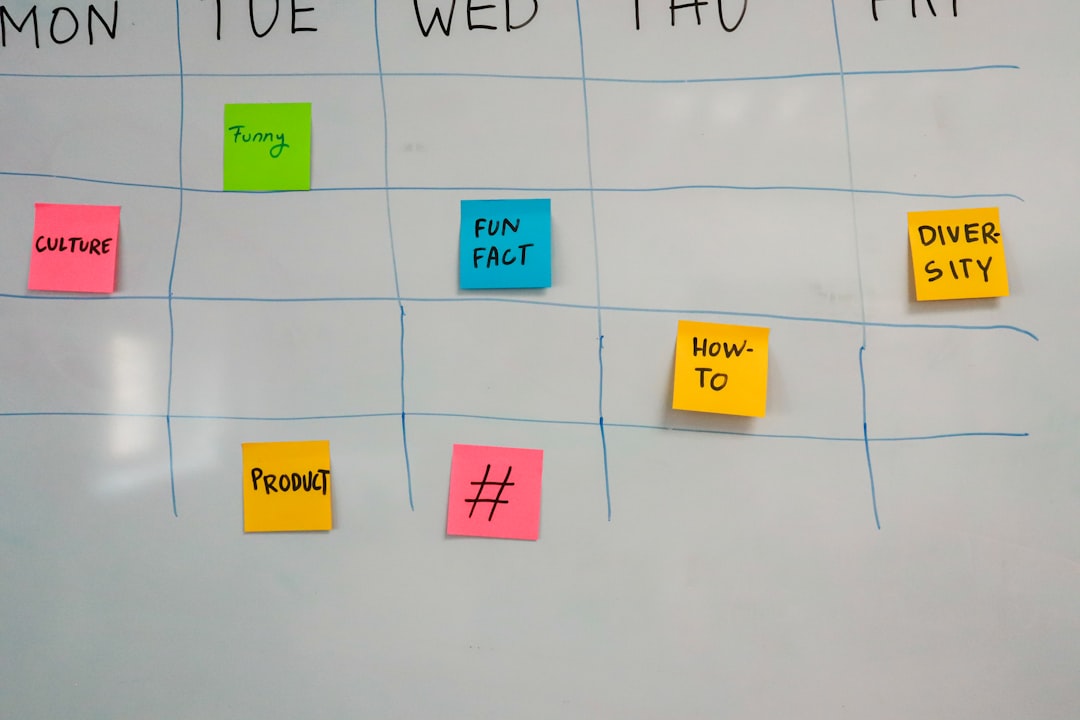
Trello is built around boards, lists, and cards. A board might represent a project, a team workflow, or even a personal to-do system. Lists usually represent stages, such as “To Do,” “In Progress,” and “Done.” Cards represent individual tasks. You drag cards from one list to another as work progresses. It is visual, intuitive, and easy to understand within minutes.
Asana, on the other hand, is more like a structured project management hub. You can view tasks as lists, boards, timelines, calendars, or dashboards. Each task can include subtasks, assignees, due dates, dependencies, custom fields, forms, approvals, comments, and attachments. Asana is designed not just to show work, but to connect it across teams and projects.
Ease of Use: Trello Wins for Simplicity
If your top priority is getting started quickly, Trello has the advantage. Its visual board interface is immediately understandable, even for people who have never used a project management tool before. Create a board, add some lists, make some cards, and start moving them around. There is very little friction.
This simplicity makes Trello especially popular with small teams, freelancers, content planners, students, and individuals who prefer a clean, visual workspace. It also works well for teams that do not want to spend much time configuring systems or training new users.
Asana is also user-friendly, but it has more layers. That is not necessarily a bad thing. Once you understand how projects, tasks, sections, portfolios, and goals work together, Asana becomes powerful. However, new users may need a little more guidance before they feel fully comfortable. For teams that are scaling or managing complex work, that learning curve can be worth it.
Project Views: Visual Boards vs Flexible Perspectives
Trello’s signature experience is the Kanban board. If you like seeing tasks move across columns, Trello feels natural. It is particularly strong for workflows where status tracking matters, such as editorial calendars, sales pipelines, software bugs, hiring processes, or simple team task boards.
Asana also offers a board view, but it does not stop there. You can switch between multiple views depending on how you want to manage the project:
- List view: Useful for detailed task tracking and prioritization.
- Board view: Similar to Trello, good for visual workflows.
- Timeline view: Ideal for planning schedules and dependencies.
- Calendar view: Helpful for due dates, campaigns, and publishing plans.
- Dashboard view: Useful for reporting progress and workload.
If your team mostly thinks in terms of columns and cards, Trello may be all you need. If your team needs to shift between high-level planning, daily execution, and progress reporting, Asana offers more flexibility.
Task Management Features
Both tools allow you to create tasks, assign people, add due dates, attach files, and leave comments. But Asana generally provides more depth out of the box.
In Trello, each card can include checklists, labels, members, dates, attachments, comments, and custom fields on certain plans. You can add extra functionality through Power-Ups, which are integrations or board enhancements. These can add calendars, voting, time tracking, automation, and connections to other apps.
Asana tasks are more structured by default. A task can live in multiple projects, contain subtasks, include dependencies, use custom fields, connect to goals, and appear in larger reporting systems. For example, a marketing team could have one task connected to a campaign calendar, a design request board, and a launch checklist at the same time. That kind of cross-project visibility is one of Asana’s biggest strengths.
Collaboration and Communication
Trello keeps collaboration simple. Team members comment on cards, tag colleagues, attach files, and move tasks through lists. This works beautifully when the board itself is the main source of truth. Everyone can see what is happening without digging through long status meetings or email threads.
Asana offers a more organized communication structure for larger teams. You can comment on tasks, create project status updates, assign follow-up tasks directly from discussions, and use project messages to keep broader conversations in context. Asana also makes it easier for managers to see what is happening across several projects without asking every team member for updates.
For small teams, Trello’s lightweight communication may feel refreshing. For medium-sized or larger teams, Asana’s structured communication can prevent information from getting buried.

Automation: Both Are Useful, but Different
Automation can save a surprising amount of time, especially when teams repeat the same steps over and over. Trello has a built-in automation tool called Butler. It lets you create rules such as moving a card when a checklist is completed, assigning a member when a label is added, or creating recurring cards every Monday.
Asana also includes automation through rules. You can automatically assign tasks, update fields, move tasks between sections, notify people, create approvals, and trigger actions based on custom conditions. Asana’s automation feels especially useful when combined with custom fields, forms, and multi-step workflows.
In general, Trello automation is excellent for board-based actions, while Asana automation is stronger for more formal processes across projects and teams.
Templates and Workflow Setup
Both platforms offer templates to help teams start faster. Trello templates often feel approachable and practical: content calendars, personal productivity boards, event planning boards, product roadmaps, and simple project trackers. Because Trello is so flexible, you can adapt a template quickly without worrying too much about structure.
Asana templates are more detailed and process-oriented. You will find templates for marketing campaigns, product launches, employee onboarding, IT requests, event planning, editorial production, and strategic planning. These templates often include recommended sections, fields, and views, making them useful for teams that want a more complete workflow from the beginning.
Reporting and Visibility
This is one of the biggest differences between the two tools. Trello is not primarily a reporting platform. You can see what is happening on a board, use labels and filters, and add Power-Ups for more analytics. However, if you need executive dashboards, cross-project workload views, or detailed progress reports, Trello may feel limited.
Asana is much stronger for reporting. Dashboards can show task completion, project status, workload, overdue items, and custom field data. Portfolios allow managers to track multiple projects at once, while goals help connect daily work to broader company objectives. This makes Asana particularly valuable for organizations that need visibility across departments.
Best Use Cases for Trello
Trello is a great choice when you want something simple, visual, and flexible. It works especially well for:
- Small teams that need a shared task board without heavy setup.
- Freelancers managing clients, deliverables, and personal tasks.
- Content calendars where ideas move from draft to review to published.
- Simple workflows with clear stages and limited dependencies.
- Personal productivity systems such as weekly planning or habit tracking.
Trello is also a good fit if your team dislikes complicated software. Its strength is that it rarely gets in the way. You can start small, customize as needed, and keep the entire workflow visible on one screen.
Best Use Cases for Asana
Asana is better suited for teams that need structure, accountability, and advanced planning. It is especially useful for:
- Marketing teams managing campaigns, launches, approvals, and content calendars.
- Product teams coordinating roadmaps, releases, feedback, and dependencies.
- Operations teams standardizing repeatable processes and requests.
- Managers who need workload visibility and progress reporting.
- Cross-functional teams working across departments and timelines.
Asana is ideal when work has many moving parts. If one missed deadline affects several other tasks, or if multiple teams need to coordinate around a shared goal, Asana gives you more control.
Pricing Considerations
Both Trello and Asana offer free plans, and both free plans are genuinely useful. Trello’s free plan is very appealing for individuals and small teams because it includes unlimited cards and a simple board-based experience. Paid plans add more advanced checklists, views, automation, admin controls, and workspace features.
Asana’s free plan is also strong, especially for individuals or small teams managing basic tasks. However, many of Asana’s most valuable features, such as timeline, advanced reporting, forms, custom fields, workload, portfolios, and goals, are available on paid plans. If you need those features, Asana can become more expensive, but it may also replace several other coordination tools.
The better value depends on your needs. Trello may be more cost-effective for lightweight work. Asana may be worth the investment if it improves planning, accountability, and management visibility.
Which One Should You Choose?
Choose Trello if you want a task manager that is simple, visual, and easy to adopt. It is excellent for straightforward projects, small teams, personal organization, and workflows where moving cards across a board is enough to keep everyone aligned.
Choose Asana if your team needs more structure, multiple project views, reporting, dependencies, workload management, and cross-team coordination. It is better for organizations that want a central system for planning, executing, and measuring work.
A simple way to decide is to ask: Do we need a better board, or do we need a stronger project management system? If you need a better board, Trello is likely the right choice. If you need a stronger system, Asana is probably the better fit.
Final Verdict
Trello and Asana are both excellent tools, but they serve different working styles. Trello shines because it is approachable, visual, and flexible. Asana stands out because it is structured, scalable, and powerful. Neither is universally “better”; the right choice depends on the complexity of your work and the level of coordination your team requires.
For individuals and small teams, Trello can feel like the perfect balance of simplicity and usefulness. For growing teams and organizations managing interconnected projects, Asana offers the depth needed to stay aligned. The best task manager is the one your team will actually use consistently, and that means choosing the tool that matches not only your projects, but also your habits.
